The second round and closing
The video loads from YouTube only when you press play. Until then, this page makes no contact with YouTube. youtu.be/f9eGjhmZYyA
Facilitation (Pronoia)
The previous guide ended in the pause after round 1. This guide carries on from there. In it you build the round 2 survey from round 1's results, open the round, close it and end the study. Reading the results and exporting the material for analysis are in the next guide.
The main path is still Argument Delphi. The differences in the other variations are at the end of the guide.
What is different in round 2
Round 2 runs through the same phases as round 1: response, dialogue and pause. The difference is in the questions. The second round of a Delphi usually asks new, more focused questions derived from round 1's results and discussion. Therefore:
- Round 2's theses are theses of their own. They are named R2-T1, R2-T2 … and round 1's theses R1-T1, R1-T2 …
- The panelist sees round 1's result next to the thesis from which the round 2 thesis was derived.
- Development between rounds is followed at panel level. When the questions are different questions, their figures are not compared one by one. The analysis shows how the shares of consensus and dissensus change from round to round. Qualitative development is read in the DAE analysis.
1. Build the round 2 survey
In the pause after round 1 there is a card below the tab row: BUILD ROUND 2 — PREPARATION PAUSE. The previous guide introduced its three ways forward. This guide takes the most common one: Copy round 1 as a starting point.
After copying, round 2's theses are drafts below the card. The copy inherits the thesis settings, for example the criteria, the scale and the required justification. Open a thesis with Edit and reword it in the light of what the dialogue taught. The thesis card's SOURCE MATERIAL tells you where the thesis was derived from (Derived from thesis R1-T1). If you starred comments in the dialogue, they wait under SOURCE MATERIAL FOR THE NEW THESIS: select a pick and write a new thesis from it, and the pick is recorded as the thesis's source.
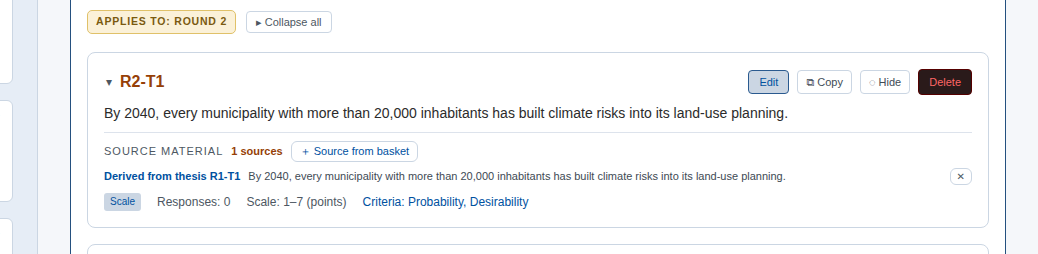
If you want to start over, Clear Round 2 removes round 2's drafts.
AI aids. The card also has Deepening thesis suggestions (AI). It picks drafts for new theses from the justifications of contested theses, and every draft refers to the justifications it came from. The suggestions are drafts that you word and own. The more precise argument analysis is done in DAE. PIRE — method assistant, on the other hand, is not AI: it computes a suggestion, thesis by thesis, from round 1's figures.
2. Open round 2
When the theses are ready, press the card's Open Round 2 (new theses) →. Round 2 is now open in the response phase, and the round card counts the round's own responses: three panelists times three theses gives 0/9.
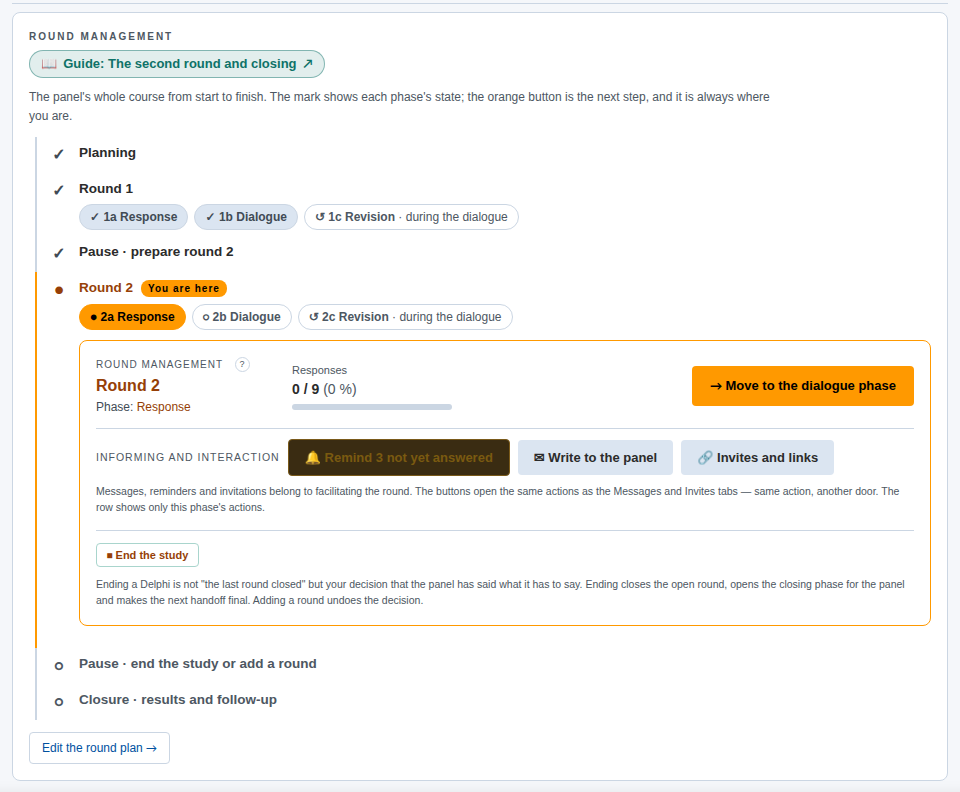
If you notice after opening that the survey is not ready, Return Round 2 to preparation returns the study to the preparation pause. Do it before the panel starts answering.
Invite the panel the same way as in round 1: from the Communication tab with the Round open template, or from your own email. A panelist's link stays the same throughout the study.
3. What the panelist sees in round 2
The top of the panelist's page says that this is a new survey: round 2's theses have been derived from the previous round's results, and they are answered afresh, not by editing earlier responses.
Next to a derived thesis there is a folded Round 1 result (R1-T1). When the panelist opens it, they see how the panel answered the thesis this one was derived from: the distribution and median per criterion. It shows no justifications and not the panelist's own earlier response. The result is folded by default so that it supports judgement rather than steering the answer. A new thesis that you wrote yourself has no such result.
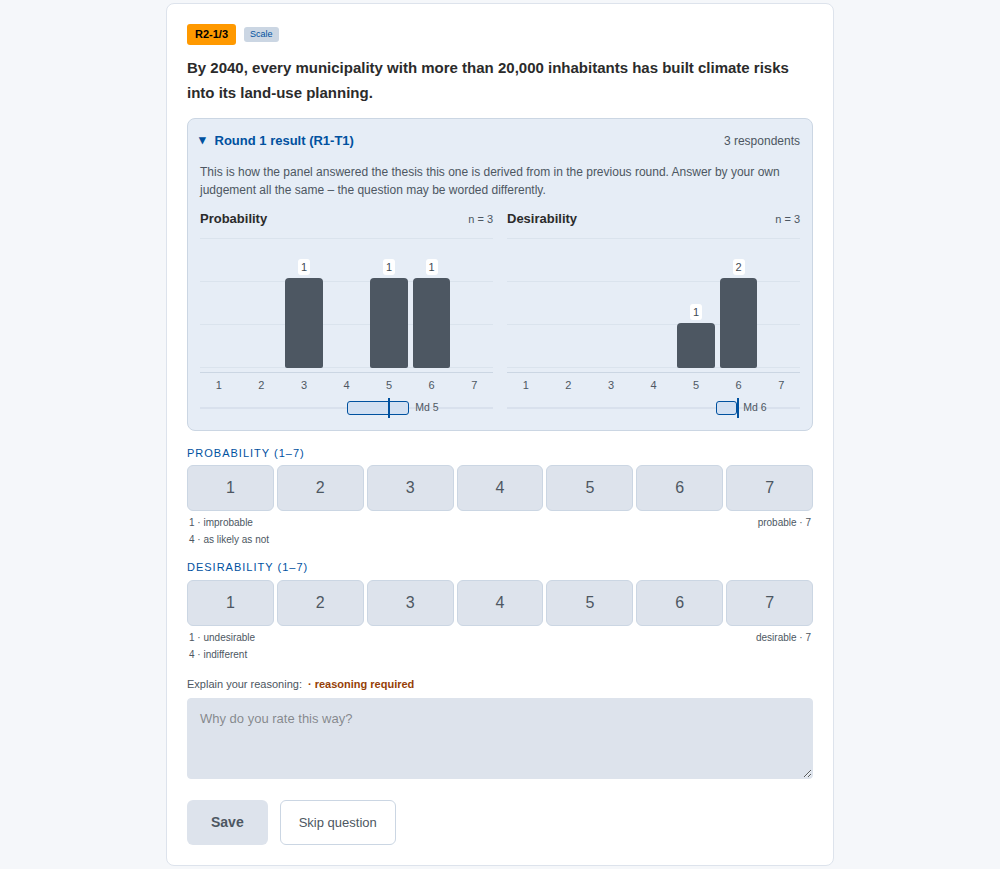
If you do not want to show the previous round's distribution, clear Previous round distribution in the response phase settings on the Facilitation tab.
4. Responses, dialogue and closing
Round 2 runs like round 1:
- Follow the responses on the Situation tab and remind when needed.
- Move the round to dialogue with Move to the dialogue phase.
- Star material in the dialogue if you plan to build a round 3.
- Close the round with Close round 2 (pause).
The round card's Disagreement row tells you, for round 2's own theses, on which of them the panel shares a view, where it is scattered and where it splits into two camps.
5. The last pause
When the last round of the plan has been closed, the path in Round management shows the step Pause · end the study or add a round. The What now? card says that the last round has been closed and the study is waiting for your decision. The study does not end by itself.
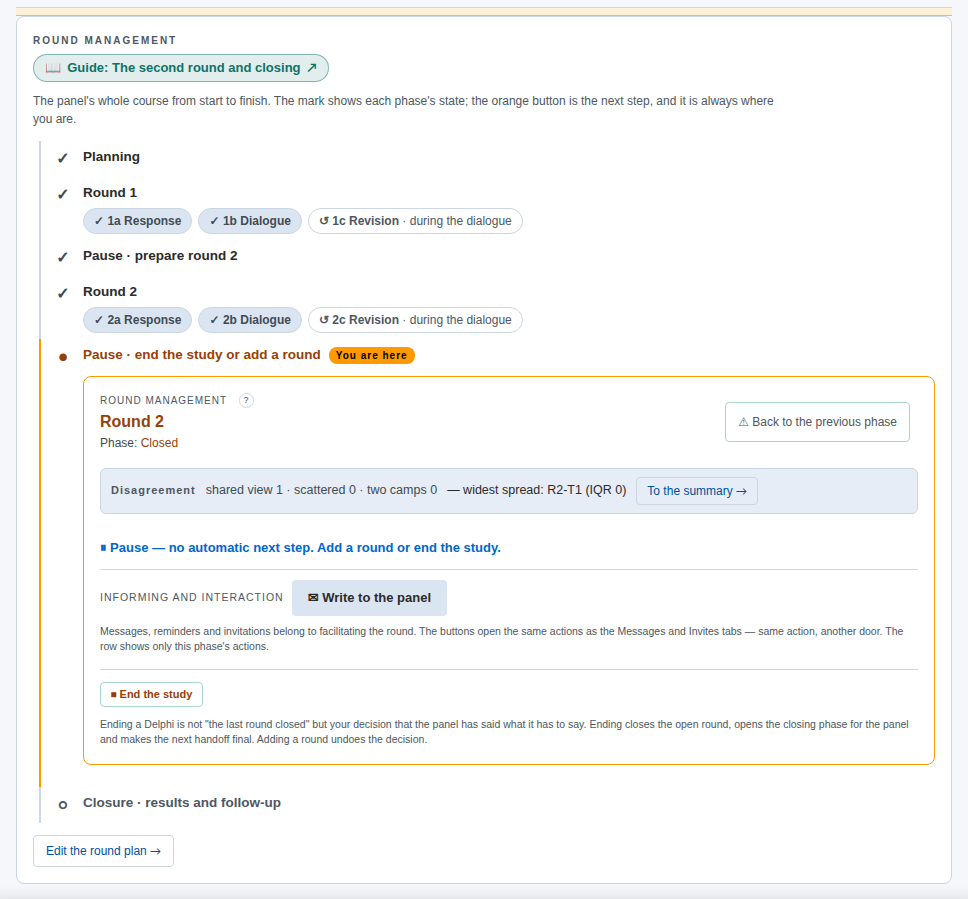
There are two options:
- Add a round. If the dialogue opened questions worth taking to the panel, Edit the round plan → adds a round 3 to the plan. You then build its survey the same way as round 2's.
- End the study. When the panel has said what it has to say, end the study.
Before ending, it is worth reading the results. The instructions are in the next guide.
6. End the study
In Round management, press End the study. Ending a Delphi is your decision that the panel has said what it has to say. It is not the same thing as the last round closing. Ending:
- closes the open round, if there is one
- opens the Closing phase to the panel
- makes the next DAE handover final.
A form opens: Closing letter to the panel. The letter is shown on the panelist's home page, and it can also be sent by email. The form contains a template letter that is a checklist of what the letter should cover: thanks, what the panel did, what was learned, what follows from the result, and a contact. There are two kinds of square brackets. Fields such as [name], [rounds] and [facilitator] are filled from the data for each reader: the form shows their values, and pressing a field inserts it at the cursor. Prompts such as [2–3 things the panel's answers showed] are written in your own words or removed. As long as the letter has a prompt, a misspelled field or a field without a value, the study cannot be ended. The form lists the points, and pressing a point takes you to it.
Under Attachments on the panelist's page you choose what is shown with the letter. The option Also show the panel the same descriptive report you see attaches below the letter the same descriptive results report you see in Reporting: the spread map, the per-thesis results and the highlights. The same report can also be offered as a Word file to download, and the Basic analysis figures per thesis can be attached. Attachments contain only aggregates, no justifications and no panelist codes. They are not an analysis.
The option Also send the letter by email (through Communication) mails the letter after the study is ended, in the same way as other messages sent from Communication, and the form tells you how many it goes to. Preview the letter shows the letter as it will be sent. If you skip the email now, you can send the letter later from Communication with the template Closing letter.
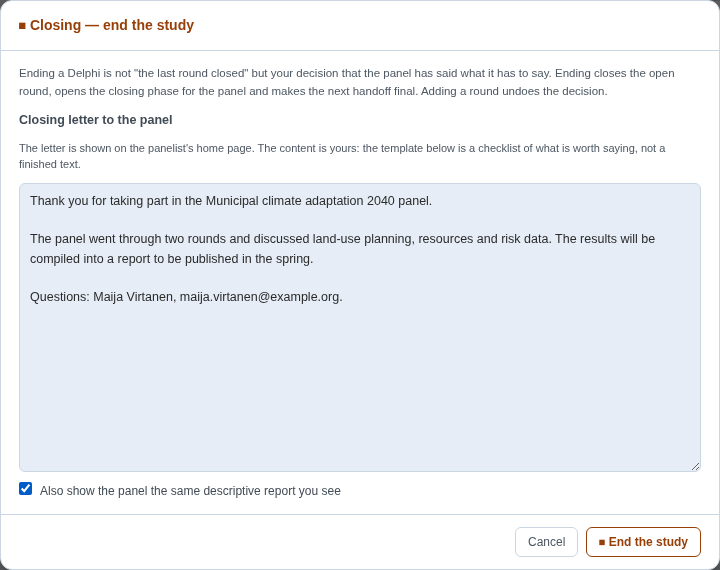
When the letter is ready, press the form's End the study.
7. What the panelist sees at the end
The panelist's page now says that the study has ended. Below that is A LETTER FROM THE FACILITATOR, the attachments you chose, and every thesis's final result: the panel's distribution and the discussion. The discussion and the panelist's own responses remain readable, but they can no longer be changed.
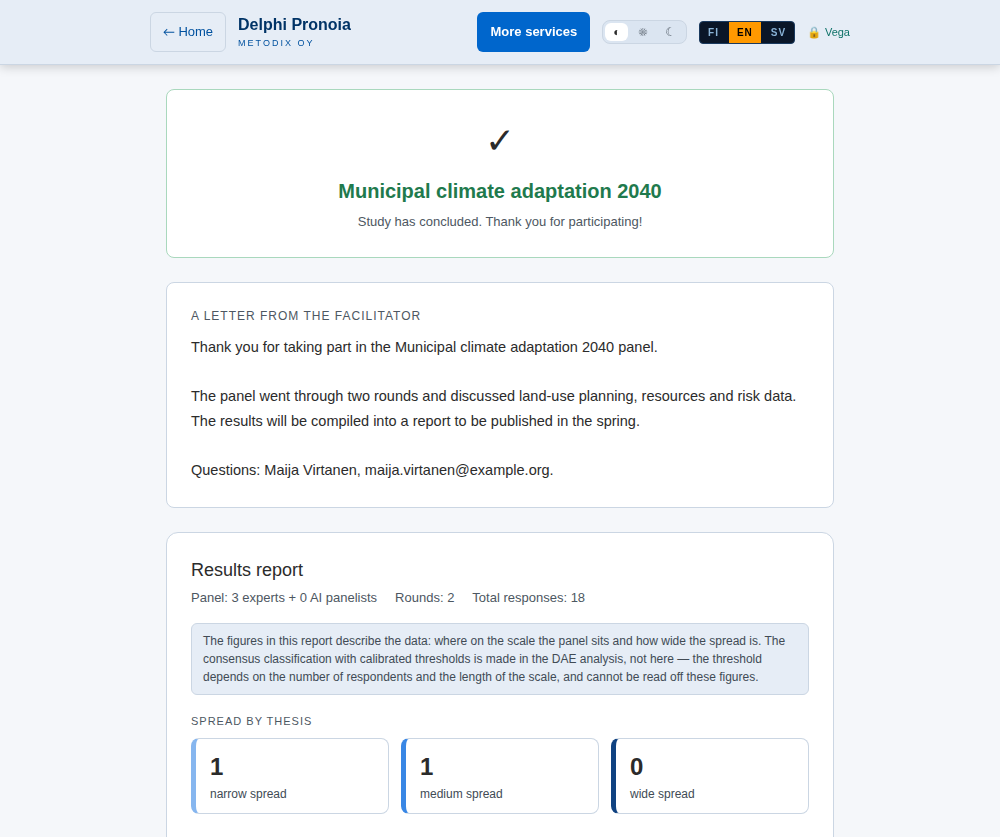
What can be undone
- A phase transition can be undone with Back to the previous phase. For example, a round closed too early can be returned to dialogue. The step back is recorded in the study's log.
- Ending can be undone by adding a round. The panel may already have read your closing letter, however, so tell it why the study continues.
Other variations
Classic Delphi often asks the same theses again in the second round. Then you choose Open with same theses (re-rate) → on the card. The panelist sees their own earlier response and can change their rating. Because the theses are the same, the analysis follows each thesis's development from round to round.
Real-Time Delphi is a single round. When you close the window, you are directly in the last pause, and the study is ended with the same closing letter.
Barometer Delphi does not close rounds but saves waves. A barometer is ended with the same End the study button once the measurement series is complete.
Remember
- Round 2 asks new questions. Build it from round 1's results and dialogue, and do not repeat the same survey unless it is a deliberate re-rating.
- The study does not end by itself. Closing the last round takes you to a pause, and ending is your own decision.
- The letter is yours. The template is a checklist: fields are filled from the data, and prompts are written in your own words.
- Next: Results and reporting.