From a plan to Pronoia
Planning (DPE) → plan file → Facilitation (Pronoia)
This is the way when the plan already exists – or when you want to start from a special template or a ready example study. Open the page from the dashboard button 📥 Import plan file.
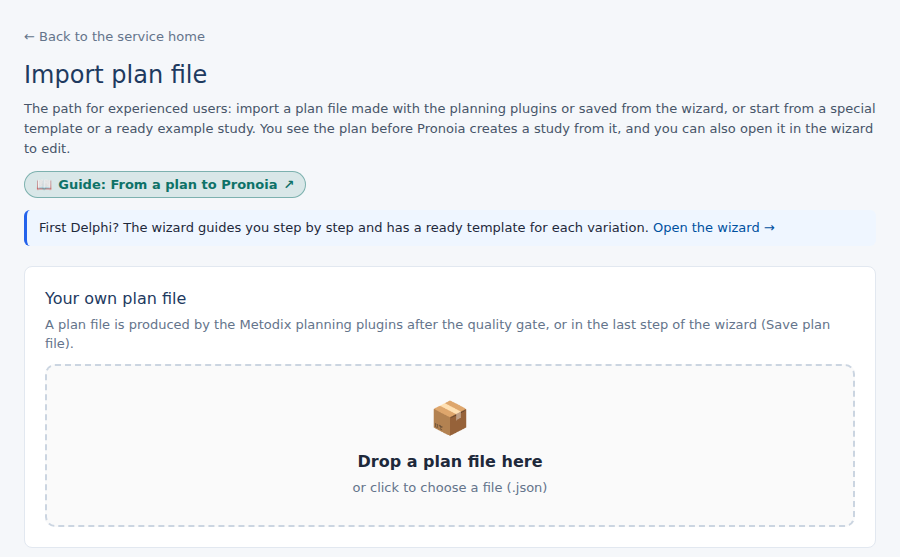
Where a plan file comes from
A plan file (JSON) is the plan in machine-readable form. It comes about in two ways:
- With the planning plugins. Type
metodixin Claude and choose planning. When planning asks for the target platform, choose Pronoia. After the quality gate, planning produces a plan file that you save on your computer. - From the wizard. The wizard's last step has the button Save the plan file (Bootstrap Package, JSON).
The planning plugins are for Metodix's licensed partners. If you do not have them yet, Metodix will give you the installation instructions.
Import your own file
Drop the file on Your own plan file, or click to choose it. Pronoia checks the plan at once and shows a preview. Nothing is created yet.
Or start from a template
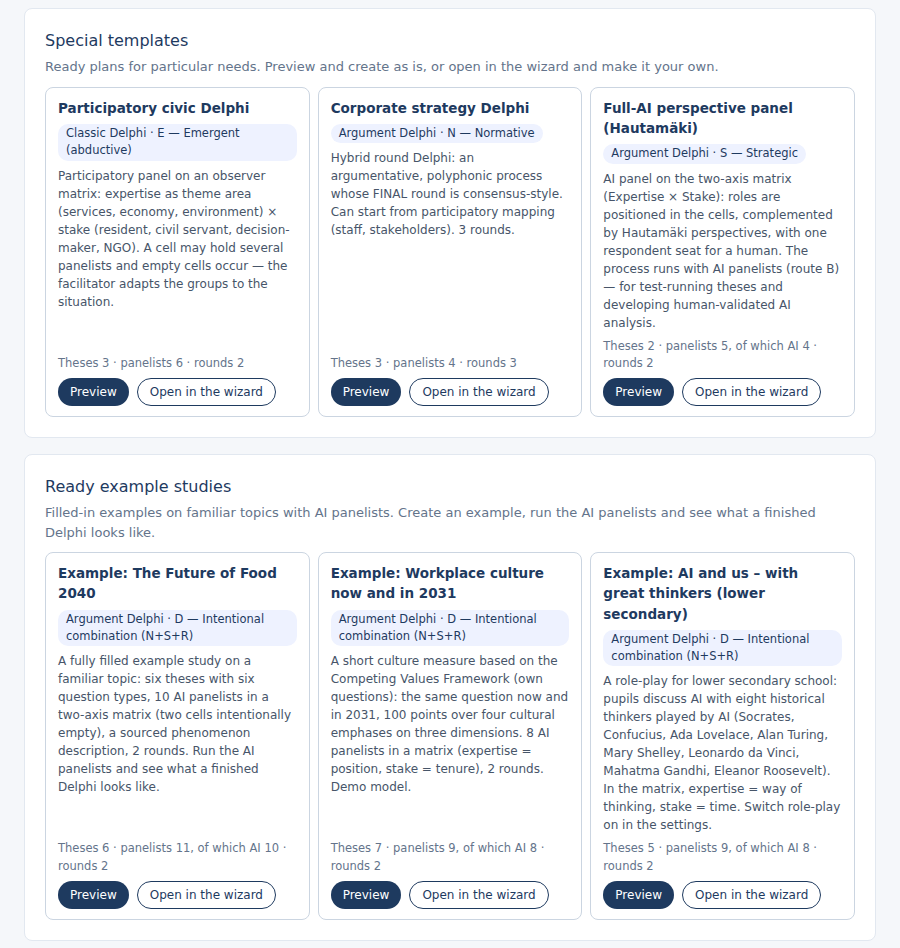
At the bottom of the page there are two sets of templates:
- Special templates – ready plans for particular needs: a participatory civic Delphi, a corporate strategy Delphi and a perspective panel made up entirely of AI panelists.
- Ready example studies – filled-in examples on familiar topics with AI panelists. Create an example, run the AI panelists and see what a finished Delphi looks like.
Each template card has two buttons: Preview leads to the same preview as your own file, and Open in the wizard opens the template in the wizard for editing.
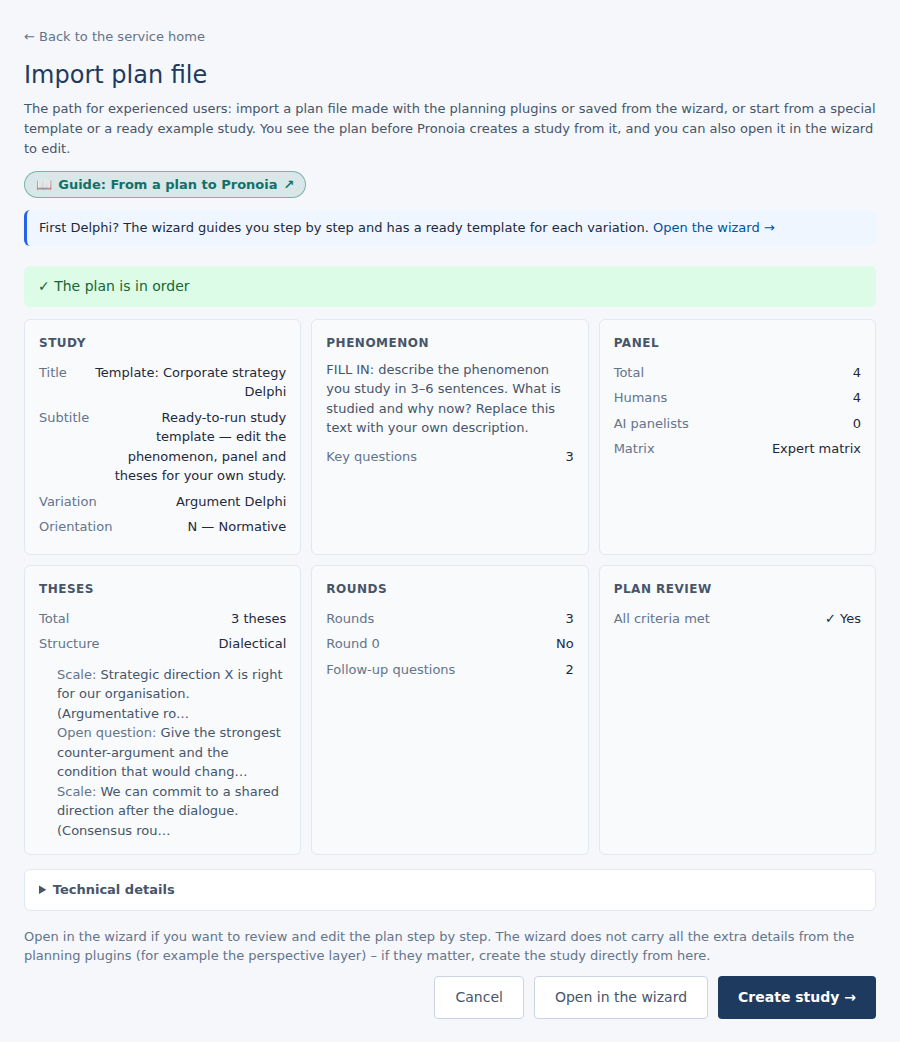
Read the preview
The preview tells you whether the plan is in order and shows it with the same names as the wizard: study, phenomenon, panel, theses, rounds and Plan review. Notes do not prevent creation; if the plan needs fixing, the create button stays grey and the reasons are listed.
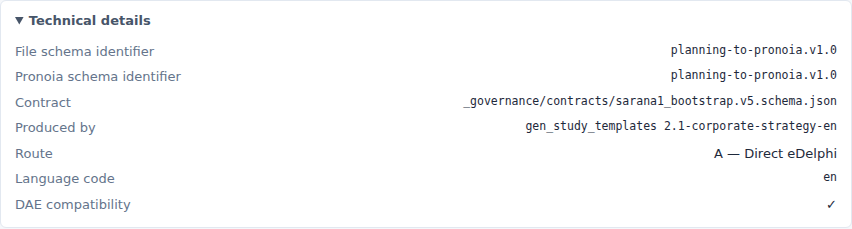
The Technical details are folded below the preview. Open them when you check a file from the planning plugins: they hold the file's schema identifier, producer, route and language code, and the perspective layer figures if the plan has one.
Create the study – or open it in the wizard
Below the preview there are three choices:
- Create study → creates the study directly from the plan. Everything in the file goes into Pronoia.
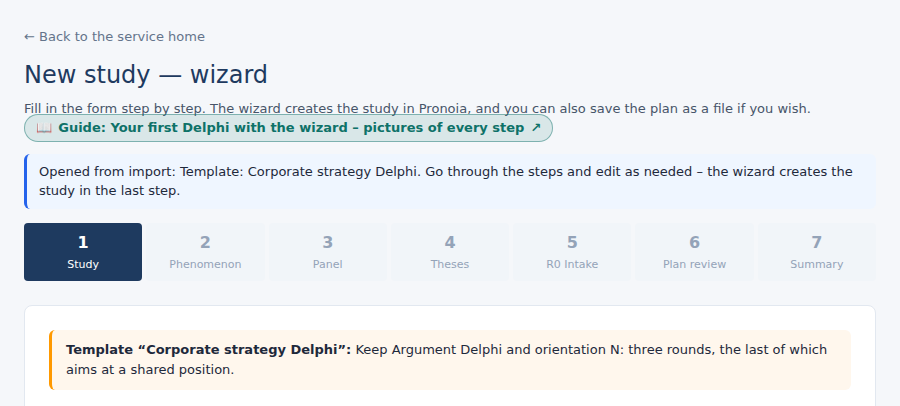
- Open in the wizard opens the plan in the wizard, where you can go through it step by step and edit it before creating the study. The wizard does not carry all the extra details from the planning plugins (for example the perspective layer) – if they matter, create the study directly.
- Cancel goes back to the start.
If the wizard has an unfinished draft, the page first asks whether to replace it. The wizard shows at the top where the plan came from.
The same plan twice
If the same plan file has already been imported, the page says so and asks whether to create a new parallel study anyway: Create a new study or Don't create. A plan is sometimes run again on purpose, so the import does not prevent it.
After creation
Once the study has been created, press Open the study →. If the file had fields that have no counterpart in Pronoia, they are listed under Fields with no receiver – the import still succeeded. The study is a draft that you finish before the panel can be invited: Finishing your plan in Pronoia. From there the work goes on as with any study: The facilitator's process, from planning to handover. The whole arc from planning to analysis: Integration: Plan → Pronoia → DAE.